
Passer au contenu
Français - France
  • Il n'y a aucune suggestion car le champ de recherche est vide.

HiPay Enterprise - Hosted Fields with JavaScript SDK and /order API


1.1. Implement the JavaScript SDK

First of all, please implement the SDK thanks to our technical documentation on our Developer Portal: 
https://developer.hipay.com/online-payments/sdk-reference/sdk-js


1.2. Testing


 1.3. Request tokenization

Parameter
Description
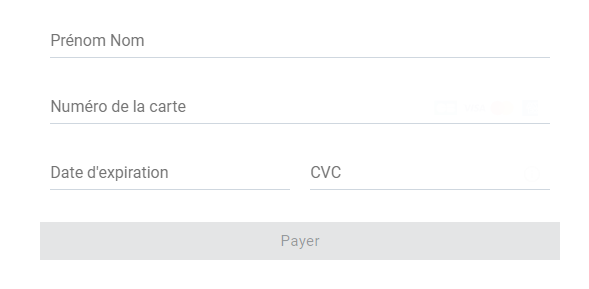
cardHolderstring required
Cardholder’s name as it appears on the card
cardNumberstring required
Card number, with a 12- to 19-digit length
expiryMonthstring required
Card expiry month, expressed with two digits (e.g.: 01)
expiryYearstring required
Card expiry year, expressed with two digits (e.g.: 22)
cvcstring
3- or 4-digit security code (called CVC2, CVV2 or CID depending on the card brand) as it appears on the credit card
multiUseboolean optional
Indicates if the token should be generated either for a single use or for multiple uses. While a single-use token is typically generated for a short time and for processing a single transaction, multi-use tokens are generally generated for recurring payments.


 1.4. Retrieve the content of the response

JavaScript response example:


{
  "payment_product": "cb",
  "token": "239495508d3713cb8a0d922b4c9f74599ce69e2334a2b03e33f484d546f71e8b",
  "request_id": "0",
  "card_id": "33e3ffbb-f69c-4f51-ba40-e87e8acc961b",
  "brand": "VISA",
  "pan": "448412xxxxxx0029",
  "card_holder": "JANE DOE",
  "card_expiry_month": "05",
  "card_expiry_year": "2024",
  "issuer": "BNP PARIBAS",
  "country": "FR",
  "domestic_network": "cb",
  "card_type": "CREDIT",
  "card_category": "PURCHASING",
  "forbidden_issuer_country": false,
  "device_fingerprint": "0400bpNfiPCR/AUNf94lis1ztjVPc4aVJjdvxbs2jtGe81iMFUQHuwibxBN/jJc8xXFuX6PmKF7D9w6UwTLJQ/raBded+trm4ecPHI1bKbfTyUEwirLZnDqLzknbtw2dg9JBTIBnmyVMxomEZzeUM33gBlH2zrOhrBPTQ3Xefa+YB7KRCB2VV4OJ3Eoc3pqKHd8qCjlU0y9oNd+sjcxpJiuDOyEioquMr6B3IAVTA3TmFfNzJxGFLwTACkxFXRiZcQcAnPGnG3CqgLln+4KLswTyWhDAstLN4US5V97h50/5jKu271aBAnRe9SUpqJ1nuRYRQc9qwfu0FPqg5dRbGWPI8GGv4RQQVRK6lU99UoH2xknMHQLoVgzcCC3wQhtdPa4apWlKzojc5zzoEwNAyYtfQUMWBwzAaBCBLs6FRDB5QLBfq3bGwE2owIzhld+C6fnxp63BxpuwNda7FIsvgR+bp9VKL1B8ftMSDVthyZXoKH4HYfwgjXnlJEJI4/wX97IAaVmZqTD7tyd0W8+tYgTFPk5uMbchLUfL6jB+ZmMavO7St0oGtrebhtvBVNTWfmYGbDHJmCY8bPeYLN93dzwz6ce8mnFiPj0ivny/m5L5d6EP5DMODtLof9iaSmLJS+gnosTzKoxVC6fSPFFgCaMpvU/h6EFXXmXEqe0ETisw5gTS90qWJpQRLA7T6v45cktLTuOKDQED3XyyPr0t8ztVFjo8eOcfWZcDCXZjVj+Jpy+I6nUOK19VzsgH1DGeSyhahZfNQgu+lmSl2pKAmu1wluCISazs9PD83/seKcOlvXrGxhKauwqEWLxUN0sYF8r08f8uCcC0xODcb+CqMKE6vVMIqD1irCDW15G2n7DMLi1MyPpjzYuuV+VhT2JQxvTdC24eZzo97tw16kQoiglK7BJDLfM/X8TvaSyxlUFCiGEdsE8OdwolivehTqT3rw1rR9l0dEJHzndNg+95/NceoRDAstLN4US59PE4fRZTRwzCQai4/k8/K5AL71+fhoVxuwLLNTE9qpzH9fOr0RSiHQAJw7JeW5ocvQUh+vx7iYJnob0nbfL59P6qjxCi4E3wOC618E1a25/ARxKjLVBzw1B7ZjXh6TBHymeHFEDQSqQFCE1XRfN+HZ21ET4rhaHYN4YbjEiJxk3o0NRac5lg3twTidneZ5Wedvp3EOKiSx6OC0ceqoTbyG/m3Zqxt3w1Bn6LxoWOnZu64rr07LwRGXZpyc7oQIV63xadNE2jqb6o3IAEdbB+xOnrC/zwRc9dcD6T1dGUjL+y2jdoT25hA43P0gknpMEieknctyemDeq66A09D3jaOoTcinCoqwdbKJytgaezfILjK9GFecOQi7xhfBnt4cNzAZ8s2cvd9SHnlPE5OMv7tk9ZNLe2qRcTG0WMOKxirZfMhUSzCWolYMrKB+CSvojDxfKmUpAl3azikZB+7cn6jrptpHWVlVRFW6/tzBN92Wy8+OwLweaBRn3D8g1ODMj2tk1bUFk1qRA=",
  "browser_info": {
    "java_enabled": false,
    "javascript_enabled": true,
    "language": "fr-FR",
    "color_depth": "24",
    "screen_height": 1080,
    "screen_width": 1920,
    "timezone": "-120",
    "http_user_agent": "Mozilla/5.0 (Windows NT 10.0; Win64; x64) AppleWebKit/537.36 (KHTML, like Gecko) Chrome/75.0.3770.142 Safari/537.36",
    "ipaddr": "",
    "http_accept": ""
  }
}


1.5. Save specific values in your database to make the payment

Please note: Maestro and Bancontact are not compatible with recurring and one-click payments.

In the API response, you will receive the card information, including the card token. You should save the following data in your database:

Field name
Description
Format
Values / Example
payment_product
Payment product used to complete the transaction (e.g.: cb, bcmc, paypal)
Alpha (16)
cb | american-express | bcmc | paypal
token
Card token. If you tokenize several times a same card you will have each time different token
Alphanumeric (64)
2fdba6f38bff7bde0418752759d4ea0533aeca42babf1b2d1d9f7f6f9394e959
card_id
Unique ID of the token
Alphanumeric (36)
33e3ffbb-f69c-4f51-ba40-e87e8acc961b
brand
Card brand
Alpha (16)
VISA | MASTERCARD | MAESTRO | AMERICAN EXPRESS | CB | BCMC
pan
Card number.Please note that, due to PCI DSS security standards, our system has to mask credit card numbers in any output.
Alphanumeric (19)
448412xxxxxx0029
card_holder
Cardholder's name
Alpha (-)
JOHN DOE
card_expiry_month
Card expiry month (2 digits)
Numeric (2)
11
card_expiry_year
Card expiry year (4 digits)
Numeric (4)
2024
issuer
Card issuing bank nameDo not rely on this value to remain static over time. Bank names may change due to acquisitions and mergers.
Alpha (-)
BNP PARIBAS
country
Bank country code where the card was issuedThis two-letter country code complies with ISO 3166-1
Alpha (2)
FR
domestic_network
Domestic network of the card. E.g.: "cb" for France, "bcmc" for Belgium
Alpha (4)
cb | bcmc
card_type
Card type
Alpha (6)
CREDIT | DEBIT
card_category
Card  category
Alpha (10)
PURCHASING | VIRTUAL | PREPAID


Then, after integrating the SDK, in order to use the token you received, you have to call the /order API within one minute. 

2.1. Requirements

Environment
Endpoint
Stage
https://stage-secure-gateway.hipay-tpp.com/rest/v1/order
Production
https://secure-gateway.hipay-tpp.com/rest/v1/order

Create API credentials with private visibility from the HiPay Enterprise back office > Integration > Security settings.


2.2. Request parameters

Format abbreviation

Description
AN
Alphanumeric characters (a-z, A-Z, 0-9)
A
Alphabetic characters only (a-z, A-Z)
N
Numeric characters only
R
Decimal number with explicit decimal point, signed
JSON
JavaScript Object Notation


Field name
Format
Description
orderid
AN (32)
ID of the order
operation
A
Set one of the following values:Sale = debits the customer immediatelyAuthorization = only requests authorization. Then, you will have to ask for the capture (debit) of the transaction.
eci
N (1) [string]
Set one of the following values: 1 (for call center and payment link by email) 7 (for the first payment)9 (for the next payments made with the same token, for one-click or recurring payment)
authentication_indicator
N (1)
If the payment product is a credit or debit card, this parameter indicates if the 3-D Secure authentication should be performed for this transaction. 0: Bypass 3-D Secure authentication. 1: 3-D Secure authentication if available. 2: 3-D Secure authentication mandatory. For more information about the 3-D Secure workflow, check the HiPay Enterprise Overview.
description
AN (128)
Short description of the order
long_description
AN
Additional description of the order
soft_descriptor
AN
Description of the banking operation as it will appear in the client's banking application
payment_product
AN (255)
Please check the list of alternative payment methods
cardtoken
AN
This parameter is specific to credit or debit card payments.
currency
A (3)
Base currency for the order (default to EUR)This three-character currency code complies with ISO 4217.
amount
R
Order total amount
shipping
R
Shipping fees for the order (default to zero)Can be omitted if the shipping fees value is zero.
tax
R
Tax amount for the order (default to zero)Can be omitted if the tax amount value is zero.
tax_rate
R
Tax rate for the order
custom_data
JSON
You can use this parameter to submit custom values you wish to show in HiPay's back office transaction details, to receive back in the API response messages and in the notifications or to activate specific anti-fraud rules.E.g.:custom_data => {  "shipping_method":"click and collect",  "first_order":"0",  "products_list":"First product, Secondproduct, Third product",  "_reporting_data_1":"my custom data 1",   "_reporting_data_2":"my custom data 2",   "_reporting_data_3":"my custom data 3",   "_reporting_data_4":"my custom data 4",   "_reporting_data_5":"my custom data 5"}
Field name
Format
Description
email
AN
Customer's email address
phone
AN
Customer's phone number
birthdate
N (8)
Customer's birthdate (YYYYMMDD)For fraud detection purposes
gender
A (1)
Gender of the customer: M = maleF = female
firstname
AN
Customer's first name
lastname
AN
Customer's last name
streetaddress
AN
Customer's street address
streetaddress2
AN
Additional address information of the customer (e.g.: building, floor, flat, etc.)
city
AN
Customer's city
state
AN
State of the country
zipcode
AN
Zip or postal code of the customer
country
A (2)
Country code of the customerThis two-letter country code complies with ISO 3166-1 (alpha 2).
shipto_firstname
AN
First name of the order's recipient
shipto_lastname
AN
Last name of the order's recipient
shipto_streetaddress
AN
Street address where the order is to be shipped
shipto_streetaddress2
AN
Additional information about the street address where the order is to be shipped (e.g.: building, floor, flat, etc.)
shipto_city
AN
City where the order is to be shipped
shipto_state
AN
State where the order is to be shipped
shipto_zipcode
AN
Zip or postal code where the order is to be shipped
shipto_country
A (2)
Country code where the order is to be shipped This two-letter country code complies with ISO 3166-1 (alpha 2).
ipaddr
AN
Customer's IP address
cid
AN
Unique customer ID
accept_url
AN
URL to redirect your customers to once the payment process is completed successfully
decline_url
AN
URL to redirect your customers to after the acquirer has declined the payment
pending_url
AN
URL to redirect your customers to when the payment request has been submitted to the acquirer, but the response is not available yet
exception_url
AN
URL to redirect your customers to after a system failure
cancel_url
AN
URL to redirect your customers to when they decide to abort the payment


Full PHP example:


$data = array(
	// 1. Order information
	"orderid"=> "HP".rand(microtime(0),100000),
	"description"=> "produit test 01",
	"long_description"=> "produit test 01 description complète",
	"payment_product"=> "visa",
	"cardtoken"=> "09a7c8e86a77e45630a09051146d133319ba90a01f37fbd41261dd05008fcd5a",
	"eci"=> "7",
	"authentication_indicator"=> "1", // 3DS
	"operation"=> "sale",
	"currency"=> "EUR",
	"amount"=> 100,
	"shipping"=> 10,
	"tax"=> 15,
	"tax_rate"=> 15,
	"custom_data"=>
	'{
		"shipping_method":"click and collect",
		"first_order":"0",
		"products_list": "First product, Second product",
		"_reporting_data_1":"my custom data 1",
		"_reporting_data_2":"my custom data 2",
		"_reporting_data_3":"my custom data 3",
		"_reporting_data_4":"my custom data 4",
		"_reporting_data_5":"my custom data 5"
	}',
	// 2. Customer information
	"email"=> "jane.doe@test.com",
	"phone"=> "01234567890",
	"birthdate"=> "19890525",
	"gender"=> "f",
	"firstname"=> "Jane",
	"lastname"=> "Doe",
	"streetaddress"=> "10 rue de la facturation",
	"streetaddress2"=> "Bâtiment A",
	"city"=> "Paris",
	"country"=> "FR",
	"zipcode"=> "75012",
	"shipto_firstname"=> "Jane",
	"shipto_lastname"=> "Doe",
	"shipto_streetaddress"=> "20 rue de la livraison",
	"shipto_streetaddress2"=> "Bâtiment B",
	"shipto_city"=> "Paris",
	"shipto_zipcode"=> "75012",
	"shipto_country"=> "FR",
	"ipaddr"=> "127.0.0.1",
	"cid"=> "123456",
	"accept_url"=> "https://example.com/accept",
	"decline_url"=> "https://example.com/decline",
	"pending_url"=> "https://example.com/pending",
	"exception_url"=> "https://example.com/exception",
	"cancel_url"=> "https://example.com/cancel",

	//PSD2 information
  "account_info"=> "{
		'customer': {
			'account_change': 20180507,
			'opening_account_date': 20180507,
			'password_change': 20180507,
			},
		'purchase': {
			'count': 2,
			'card_stored_24h': 0,
      'payment_attempts_24h': 0,
      'payment_attempts_1y': 0
			},
    'payment': {
			'enrollment_date': 20180507
			},
    'shipping': {
			'shipping_used_date': 20180507,
      'name_indicator': 1,
      'suspicious_activity': 1
			}
		}",
	"device_channel"=> 2,
	"browser_info"=> "{
		'java_enabled': true,
    'javascript_enabled': true,
    'ipaddr': '127.0.0.1',
    'http_accept': '*/*',
    'http_user_agent': 'Mozilla/4.0',
    'language': 'fr',
    'color_depth': '1',
    'screen_height': 0,
    'screen_width': 0,
    'timezone': '300'
		}",
	"previous_auth_info"=> "{
		'transaction_reference': '987654321CBA'
		}",
  "merchant_risk_statement"=> "{
		'email_delivery_address': 'jane.doe@test.com',
		'delivery_time_frame': 1,
		'purchase_indicator': 1,
    'pre_order_date': 20190925,
    'reorder_indicator': 1,
		'shipping_indicator': 1,
		'gift_card': {
			'amount': 15,
			'count': 1,
			'currency': 'EUR' }
			}",
	"recurring_info"=> "{
		'expiration_date': 20200318,
    'frequency': 31
		}"
); 


The response API is useful to redirect the customer after he paid on the right page (accept, decline, pending, exception) of your website.

JSON API response example:


{
  "state":"completed",
  "reason":"",
  "forwardUrl":"",
  "test":"true",
  "mid":"00001333332",
  "attemptId":"1",
  "authorizationCode":"test123",
  "transactionReference":"800001237474",
  "dateCreated":"2019-08-20T17:32:05+0000",
  "dateUpdated":"2019-08-20T19:32:12+0200",
  "dateAuthorized":"2019-08-20T17:32:10+0000",
  "status":"118",
  "message":"Captured",
  "authorizedAmount":"10.00",
  "capturedAmount":"10.00",
  "refundedAmount":"0.00",
  "creditedAmount":"0.00",
  "decimals":"2",
  "currency":"EUR",
  "ipAddress":"127.0.0.1",
  "ipCountry":"",
  "deviceId":"",
  "avsResult":"",
  "cvcResult":"",
  "eci":"7",
  "paymentProduct":"visa",
  "paymentMethod":
  {
    "token":"09a7c8e86a77e45630a09051146d133319ba90a01f37fbd41261dd05008fcd5a",
    "brand":"VISA",
    "pan":"411111******1111",
    "cardHolder":"TEST HIPAY",
    "cardExpiryMonth":"12",
    "cardExpiryYear":"2025",
    "issuer":"JPMORGAN CHASE BANK, N.A.",
    "country":"US"
  },
  "threeDSecure":"",
  "fraudScreening":
  {
    "scoring":"0",
    "result":"ACCEPTED",
    "review":""
  },
  "order":
  {
    "id":"HP40765",
    "dateCreated":"2019-08-20T17:32:05+0000",
    "attempts":"1",
    "amount":"10.00",
    "shipping":"1.00",
    "tax":"1.00",
    "decimals":"2",
    "currency":"EUR",
    "customerId":"123456",
    "language":"en_US",
    "email":"test@client.com"
  }
}


Field name
Description
forwardUrl
URL to redirect the customer (for Bancontact or 3DS authentication)
state
Transaction state. The value must be from the following list:- completed- pending- declined- errorFor further details, please refer to the Transaction workflow section.
reason - code - message
Optional element. Reason why the transaction was declined.- code: Decline reason code- message: Decline reason description Possible decline reasons can be found in the Decline reasons and error codes section.
test
True if the transaction is a test transaction; otherwise false
mid
Your merchant account number (issued to you by HiPay Enterprise)
attempt_id
Attempt ID of the payment
authorization_code
Authorization code (up to 35 characters) generated for each approved or pending transaction by the acquiring provider
transaction_reference
Unique identifier of the transaction
date_created
Date when the transaction was created
date_updated
Date when the transaction was last updated
date_authorized
Date when the transaction was authorized
status
Transaction status. A list of possible statuses can be found in the Transaction statuses section.
message
Transaction message
authorized_amount
Transaction amount
captured_amount
Captured amount
refunded_amount
Refunded amount
decimals
Decimal precision of the transaction amount
currency
Base currency for the transaction.This three-character currency code complies with ISO 4217.
ip_address
IP address of the customer making the purchase
ip_country
Country code associated to the customer’s IP address
device_id
Unique identifier assigned to the device (the customer’s browser) by HiPay
avs_result
Result of the Address Verification Service (AVS) Possible AVS result codes can be found in the Address Verification Service section.
cvc_result
Result of the CVC (Card Verification Code) check Possible CVC result codes can be found in the Card Verification Code section.
eci
Electronic Commerce Indicator (ECI) Possible ECIs can be found in the Electronic Commerce Indicator section.
payment_product
Payment product used to complete the transaction. Informs about the payment_method section type. Possible payment products can be found in the Payment products section.
payment_method
For further details, please refer to the Response fields specific to the payment product section.
three_d_secure- eci- enrollment_status - enrollment_message - authentication_status- authentication_message- authentication_token- xid
Optional element. Result of the 3-D Secure authentication.- 3-D Secure (3DS) Electronic Commerce Indicator- Enrollment status- Enrollment message- Authentication status- This field is only included if payment authentication was attempted and a value was received.- Authentication message. This field is only included if payment authentication was attempted and a value was received.- Value generated by the card issuer as a token to prove that the cardholder was successfully authenticated.- Unique transaction identifier generated by the payment server on behalf of the merchant to identify the 3-D Secure transaction.
fraud_screening- scoring- result- review
Fraud screening resultTotal score assigned to the transaction (main risk indicator)Overall result of risk assessment returned by the payment gatewayThe value must be from the following list:- pending: rules have not been checked- accepted: the transaction has been accepted- blocked: the transaction has been rejected due to reviewing system rules- challenged: the transaction has been flagged for review.Decision made when the overall risk result returns challenged.An empty value means that no review is required.The value must be from the following list:- pending: a decision to release or cancel the transaction is pending- allowed: the transaction has been released for processing- denied: the transaction has been cancelled
order- Id- dateCreated - attempts- amount- shipping- tax- decimals- currency- customer_id- language- email
Information about the customer and their order:- Unique identifier of the order as provided by the merchant- Time when the order was created- Indicates how many payment attempts have been made for this order- Total order amount (e.g.: 150.00). It should be calculated as the sum of purchased items, plus shipping fees (if present) and tax (if present).- Order shipping fees- Order tax amount- Decimal precision of the order amount- Base currency for this order. This three-character currency code complies with ISO 4217.- Unique identifier of the customer as provided by the merchant- Language code of the customer- Email address of the customer
operation- type- id- reference- amount- currency- date
If a maintenance operation was requested and an operation_id value was sent.- Type of last operation- Operation ID sent in maintenance operation- HiPay’s Operation reference- Operation amount- Operation currency- Operation date


To consider an accepted payment, it is appropriate to rely on the server-to-server notification containing the following values:
status=118
message=Captured
and
status=119
message=Partially captured

You can receive the server-to-server notification in:
- POST "application/x-www-form-urlencoded" format
- POST XML

Server-to-server POST notification example:


state=completed
&test=true
&mid=00001333332
&attempt_id=1
&authorization_code=test123
&transaction_reference=800001237474
&date_created=2019-08-20T17%3A32%3A05%2B0000
&date_updated=2019-08-20T17%3A32%3A12%2B0000
&date_authorized=2019-08-20T17%3A32%3A10%2B0000
&status=118
&message=Captured
&authorized_amount=10.00
&captured_amount=10.00
&refunded_amount=0.00
&decimals=2
&currency=EUR
&ip_address=127.0.0.1
&ip_country=
&device_id=
&custom_data%5Bfirst_order%5D=0
&custom_data%5Bproducts_list%5D=First+product%2C+Second+product
&custom_data%5B_reporting_data_1%5D=my+custom+data+1
&custom_data%5B_reporting_data_2%5D=my+custom+data+2
&custom_data%5B_reporting_data_3%5D=my+custom+data+3
&custom_data%5B_reporting_data_4%5D=my+custom+data+4
&custom_data%5B_reporting_data_5%5D=my+custom+data+5
&custom_data%5Bshipping_method%5D=click+and+collect
&avs_result=
&cvc_result=
&eci=7
&payment_product=visa
&payment_method%5Btoken%5D=09a7c8e86a77e45630a09051146d133319ba90a01f37fbd41261dd05008fcd5a
&payment_method%5Bbrand%5D=VISA
&payment_method%5Bpan%5D=411111%2A%2A%2A%2A%2A%2A1111
&payment_method%5Bcard_holder%5D=TEST+HIPAY
&payment_method%5Bcard_expiry_month%5D=12
&payment_method%5Bcard_expiry_year%5D=2025
&payment_method%5Bissuer%5D=JPMORGAN+CHASE+BANK%2C+N.A.
&payment_method%5Bcountry%5D=U
S&fraud_screening%5Bscoring%5D=0
&fraud_screening%5Bresult%5D=accepted
&fraud_screening%5Breview%5D=
&order%5Bid%5D=HP40765
&order%5Bdate_created%5D=2019-08-20T17%3A32%3A05%2B0000
&order%5Battempts%5D=1
&order%5Bamount%5D=10.00
&order%5Bshipping%5D=1.00
&order%5Btax%5D=1.00
&order%5Bdecimals%5D=2
&order%5Bcurrency%5D=EUR
&order%5Bcustomer_id%5D=123456
&order%5Blanguage%5D=en_US
&order%5Bemail%5D=hipay%40client.com