
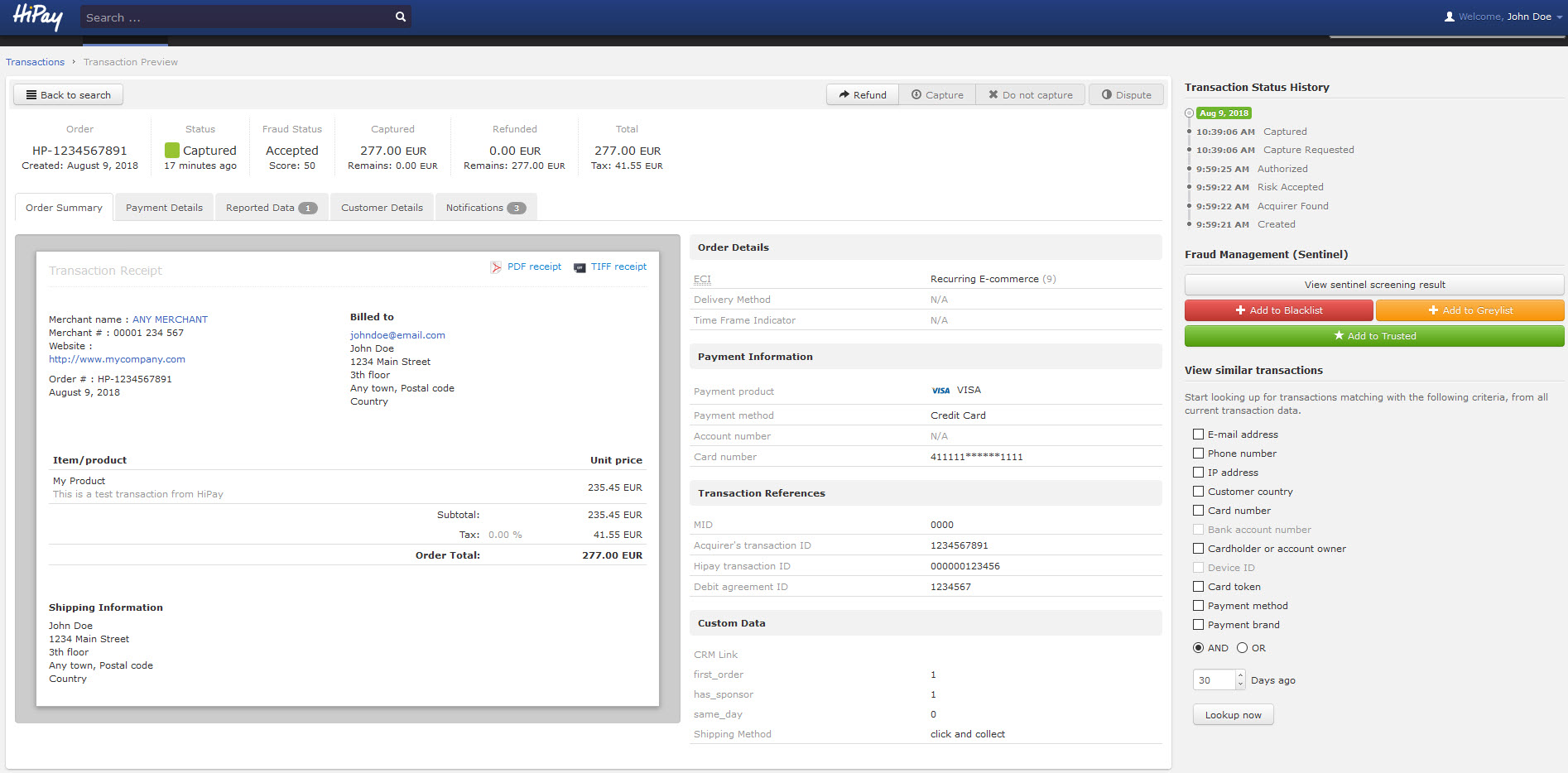
The Transaction Preview displays the “Order” reference number, the current “Status” of the transaction and the “Fraud Status”, as well as the “Captured”, “Refunded” and “Total” amounts.
It also groups action buttons:
-
 remains grayed out as long as the transaction status is not “Captured”.
You can use it to refund your customers when they return products for instance.
-
If the transaction is “Authorized”, click on
 to instantly do a manual capture of the funds after a service has been rendered or a product has been sold.
 -
Click on
 to prevent automatic captures (e.g.: when products are not available; doing so enables to avoid refunds).
