
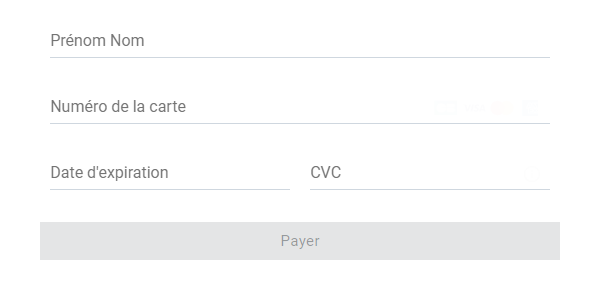
1.1. Implement the JavaScript SDK
First of all, please implement the SDK thanks to our technical documentation on our Developer Portal:
https://developer.hipay.com/online-payments/sdk-reference/sdk-js
1.2. Testing
- Setting API credentials
Do not forget to create API credentials with public visibility from the HiPay Enterprise back office > Integration > Security settings.
- Using test cards
https://support.hipay.com/hc/en-us/articles/213882649-How-can-I-test-payment-methods-
1.3. Request tokenization
1.4. Retrieve the content of the response
JavaScript response example:
{
  "payment_product": "cb",
  "token": "239495508d3713cb8a0d922b4c9f74599ce69e2334a2b03e33f484d546f71e8b",
  "request_id": "0",
  "card_id": "33e3ffbb-f69c-4f51-ba40-e87e8acc961b",
  "brand": "VISA",
  "pan": "448412xxxxxx0029",
  "card_holder": "JANE DOE",
  "card_expiry_month": "05",
  "card_expiry_year": "2024",
  "issuer": "BNP PARIBAS",
  "country": "FR",
  "domestic_network": "cb",
  "card_type": "CREDIT",
  "card_category": "PURCHASING",
  "forbidden_issuer_country": false,
  "device_fingerprint": "0400bpNfiPCR/AUNf94lis1ztjVPc4aVJjdvxbs2jtGe81iMFUQHuwibxBN/jJc8xXFuX6PmKF7D9w6UwTLJQ/raBded+trm4ecPHI1bKbfTyUEwirLZnDqLzknbtw2dg9JBTIBnmyVMxomEZzeUM33gBlH2zrOhrBPTQ3Xefa+YB7KRCB2VV4OJ3Eoc3pqKHd8qCjlU0y9oNd+sjcxpJiuDOyEioquMr6B3IAVTA3TmFfNzJxGFLwTACkxFXRiZcQcAnPGnG3CqgLln+4KLswTyWhDAstLN4US5V97h50/5jKu271aBAnRe9SUpqJ1nuRYRQc9qwfu0FPqg5dRbGWPI8GGv4RQQVRK6lU99UoH2xknMHQLoVgzcCC3wQhtdPa4apWlKzojc5zzoEwNAyYtfQUMWBwzAaBCBLs6FRDB5QLBfq3bGwE2owIzhld+C6fnxp63BxpuwNda7FIsvgR+bp9VKL1B8ftMSDVthyZXoKH4HYfwgjXnlJEJI4/wX97IAaVmZqTD7tyd0W8+tYgTFPk5uMbchLUfL6jB+ZmMavO7St0oGtrebhtvBVNTWfmYGbDHJmCY8bPeYLN93dzwz6ce8mnFiPj0ivny/m5L5d6EP5DMODtLof9iaSmLJS+gnosTzKoxVC6fSPFFgCaMpvU/h6EFXXmXEqe0ETisw5gTS90qWJpQRLA7T6v45cktLTuOKDQED3XyyPr0t8ztVFjo8eOcfWZcDCXZjVj+Jpy+I6nUOK19VzsgH1DGeSyhahZfNQgu+lmSl2pKAmu1wluCISazs9PD83/seKcOlvXrGxhKauwqEWLxUN0sYF8r08f8uCcC0xODcb+CqMKE6vVMIqD1irCDW15G2n7DMLi1MyPpjzYuuV+VhT2JQxvTdC24eZzo97tw16kQoiglK7BJDLfM/X8TvaSyxlUFCiGEdsE8OdwolivehTqT3rw1rR9l0dEJHzndNg+95/NceoRDAstLN4US59PE4fRZTRwzCQai4/k8/K5AL71+fhoVxuwLLNTE9qpzH9fOr0RSiHQAJw7JeW5ocvQUh+vx7iYJnob0nbfL59P6qjxCi4E3wOC618E1a25/ARxKjLVBzw1B7ZjXh6TBHymeHFEDQSqQFCE1XRfN+HZ21ET4rhaHYN4YbjEiJxk3o0NRac5lg3twTidneZ5Wedvp3EOKiSx6OC0ceqoTbyG/m3Zqxt3w1Bn6LxoWOnZu64rr07LwRGXZpyc7oQIV63xadNE2jqb6o3IAEdbB+xOnrC/zwRc9dcD6T1dGUjL+y2jdoT25hA43P0gknpMEieknctyemDeq66A09D3jaOoTcinCoqwdbKJytgaezfILjK9GFecOQi7xhfBnt4cNzAZ8s2cvd9SHnlPE5OMv7tk9ZNLe2qRcTG0WMOKxirZfMhUSzCWolYMrKB+CSvojDxfKmUpAl3azikZB+7cn6jrptpHWVlVRFW6/tzBN92Wy8+OwLweaBRn3D8g1ODMj2tk1bUFk1qRA=",
  "browser_info": {
    "java_enabled": false,
    "javascript_enabled": true,
    "language": "fr-FR",
    "color_depth": "24",
    "screen_height": 1080,
    "screen_width": 1920,
    "timezone": "-120",
    "http_user_agent": "Mozilla/5.0 (Windows NT 10.0; Win64; x64) AppleWebKit/537.36 (KHTML, like Gecko) Chrome/75.0.3770.142 Safari/537.36",
    "ipaddr": "",
    "http_accept": ""
  }
}
1.5. Save specific values in your database to make the payment
Please note: Maestro and Bancontact are not compatible with recurring and one-click payments.
In the API response, you will receive the card information, including the card token. You should save the following data in your database:
Then, after integrating the SDK, in order to use the token you received, you have to call the /order API within one minute.
2.1. Requirements
Create API credentials with private visibility from the HiPay Enterprise back office > Integration > Security settings.
2.2. Request parameters
Format abbreviation
Full PHP example:
$data = array(
	// 1. Order information
	"orderid"=> "HP".rand(microtime(0),100000),
	"description"=> "produit test 01",
	"long_description"=> "produit test 01 description complète",
	"payment_product"=> "visa",
	"cardtoken"=> "09a7c8e86a77e45630a09051146d133319ba90a01f37fbd41261dd05008fcd5a",
	"eci"=> "7",
	"authentication_indicator"=> "1", // 3DS
	"operation"=> "sale",
	"currency"=> "EUR",
	"amount"=> 100,
	"shipping"=> 10,
	"tax"=> 15,
	"tax_rate"=> 15,
	"custom_data"=>
	'{
		"shipping_method":"click and collect",
		"first_order":"0",
		"products_list": "First product, Second product",
		"_reporting_data_1":"my custom data 1",
		"_reporting_data_2":"my custom data 2",
		"_reporting_data_3":"my custom data 3",
		"_reporting_data_4":"my custom data 4",
		"_reporting_data_5":"my custom data 5"
	}',
	// 2. Customer information
	"email"=> "jane.doe@test.com",
	"phone"=> "01234567890",
	"birthdate"=> "19890525",
	"gender"=> "f",
	"firstname"=> "Jane",
	"lastname"=> "Doe",
	"streetaddress"=> "10 rue de la facturation",
	"streetaddress2"=> "Bâtiment A",
	"city"=> "Paris",
	"country"=> "FR",
	"zipcode"=> "75012",
	"shipto_firstname"=> "Jane",
	"shipto_lastname"=> "Doe",
	"shipto_streetaddress"=> "20 rue de la livraison",
	"shipto_streetaddress2"=> "Bâtiment B",
	"shipto_city"=> "Paris",
	"shipto_zipcode"=> "75012",
	"shipto_country"=> "FR",
	"ipaddr"=> "127.0.0.1",
	"cid"=> "123456",
	"accept_url"=> "https://example.com/accept",
	"decline_url"=> "https://example.com/decline",
	"pending_url"=> "https://example.com/pending",
	"exception_url"=> "https://example.com/exception",
	"cancel_url"=> "https://example.com/cancel",

	//PSD2 information
  "account_info"=> "{
		'customer': {
			'account_change': 20180507,
			'opening_account_date': 20180507,
			'password_change': 20180507,
			},
		'purchase': {
			'count': 2,
			'card_stored_24h': 0,
      'payment_attempts_24h': 0,
      'payment_attempts_1y': 0
			},
    'payment': {
			'enrollment_date': 20180507
			},
    'shipping': {
			'shipping_used_date': 20180507,
      'name_indicator': 1,
      'suspicious_activity': 1
			}
		}",
	"device_channel"=> 2,
	"browser_info"=> "{
		'java_enabled': true,
    'javascript_enabled': true,
    'ipaddr': '127.0.0.1',
    'http_accept': '*/*',
    'http_user_agent': 'Mozilla/4.0',
    'language': 'fr',
    'color_depth': '1',
    'screen_height': 0,
    'screen_width': 0,
    'timezone': '300'
		}",
	"previous_auth_info"=> "{
		'transaction_reference': '987654321CBA'
		}",
  "merchant_risk_statement"=> "{
		'email_delivery_address': 'jane.doe@test.com',
		'delivery_time_frame': 1,
		'purchase_indicator': 1,
    'pre_order_date': 20190925,
    'reorder_indicator': 1,
		'shipping_indicator': 1,
		'gift_card': {
			'amount': 15,
			'count': 1,
			'currency': 'EUR' }
			}",
	"recurring_info"=> "{
		'expiration_date': 20200318,
    'frequency': 31
		}"
);
The response API is useful to redirect the customer after he paid on the right page (accept, decline, pending, exception) of your website.
JSON API response example:
{
  "state":"completed",
  "reason":"",
  "forwardUrl":"",
  "test":"true",
  "mid":"00001333332",
  "attemptId":"1",
  "authorizationCode":"test123",
  "transactionReference":"800001237474",
  "dateCreated":"2019-08-20T17:32:05+0000",
  "dateUpdated":"2019-08-20T19:32:12+0200",
  "dateAuthorized":"2019-08-20T17:32:10+0000",
  "status":"118",
  "message":"Captured",
  "authorizedAmount":"10.00",
  "capturedAmount":"10.00",
  "refundedAmount":"0.00",
  "creditedAmount":"0.00",
  "decimals":"2",
  "currency":"EUR",
  "ipAddress":"127.0.0.1",
  "ipCountry":"",
  "deviceId":"",
  "avsResult":"",
  "cvcResult":"",
  "eci":"7",
  "paymentProduct":"visa",
  "paymentMethod":
  {
    "token":"09a7c8e86a77e45630a09051146d133319ba90a01f37fbd41261dd05008fcd5a",
    "brand":"VISA",
    "pan":"411111******1111",
    "cardHolder":"TEST HIPAY",
    "cardExpiryMonth":"12",
    "cardExpiryYear":"2025",
    "issuer":"JPMORGAN CHASE BANK, N.A.",
    "country":"US"
  },
  "threeDSecure":"",
  "fraudScreening":
  {
    "scoring":"0",
    "result":"ACCEPTED",
    "review":""
  },
  "order":
  {
    "id":"HP40765",
    "dateCreated":"2019-08-20T17:32:05+0000",
    "attempts":"1",
    "amount":"10.00",
    "shipping":"1.00",
    "tax":"1.00",
    "decimals":"2",
    "currency":"EUR",
    "customerId":"123456",
    "language":"en_US",
    "email":"test@client.com"
  }
}
To consider an accepted payment, it is appropriate to rely on the server-to-server notification containing the following values:
status=118
message=Captured
and
status=119
message=Partially captured
You can receive the server-to-server notification in:
- POST "application/x-www-form-urlencoded" format
- POST XML
Server-to-server POST notification example:
state=completed
&test=true
&mid=00001333332
&attempt_id=1
&authorization_code=test123
&transaction_reference=800001237474
&date_created=2019-08-20T17%3A32%3A05%2B0000
&date_updated=2019-08-20T17%3A32%3A12%2B0000
&date_authorized=2019-08-20T17%3A32%3A10%2B0000
&status=118
&message=Captured
&authorized_amount=10.00
&captured_amount=10.00
&refunded_amount=0.00
&decimals=2
¤cy=EUR
&ip_address=127.0.0.1
&ip_country=
&device_id=
&custom_data%5Bfirst_order%5D=0
&custom_data%5Bproducts_list%5D=First+product%2C+Second+product
&custom_data%5B_reporting_data_1%5D=my+custom+data+1
&custom_data%5B_reporting_data_2%5D=my+custom+data+2
&custom_data%5B_reporting_data_3%5D=my+custom+data+3
&custom_data%5B_reporting_data_4%5D=my+custom+data+4
&custom_data%5B_reporting_data_5%5D=my+custom+data+5
&custom_data%5Bshipping_method%5D=click+and+collect
&avs_result=
&cvc_result=
&eci=7
&payment_product=visa
&payment_method%5Btoken%5D=09a7c8e86a77e45630a09051146d133319ba90a01f37fbd41261dd05008fcd5a
&payment_method%5Bbrand%5D=VISA
&payment_method%5Bpan%5D=411111%2A%2A%2A%2A%2A%2A1111
&payment_method%5Bcard_holder%5D=TEST+HIPAY
&payment_method%5Bcard_expiry_month%5D=12
&payment_method%5Bcard_expiry_year%5D=2025
&payment_method%5Bissuer%5D=JPMORGAN+CHASE+BANK%2C+N.A.
&payment_method%5Bcountry%5D=U
S&fraud_screening%5Bscoring%5D=0
&fraud_screening%5Bresult%5D=accepted
&fraud_screening%5Breview%5D=
&order%5Bid%5D=HP40765
&order%5Bdate_created%5D=2019-08-20T17%3A32%3A05%2B0000
&order%5Battempts%5D=1
&order%5Bamount%5D=10.00
&order%5Bshipping%5D=1.00
&order%5Btax%5D=1.00
&order%5Bdecimals%5D=2
&order%5Bcurrency%5D=EUR
&order%5Bcustomer_id%5D=123456
&order%5Blanguage%5D=en_US
&order%5Bemail%5D=hipay%40client.com
