
 Go to Finances → Account statement to see the list of all operations on the selected account(s)
  for a given period.
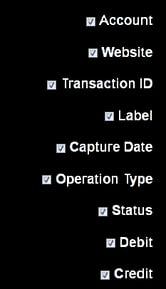
To select the columns to be displayed, click on  .
.
Then just tick off the elements of your choice:
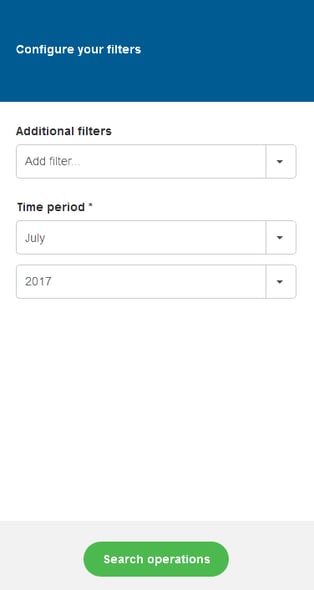
To search specific operations, click on  at the top-right corner of your screen.
Then configure your filters, choosing additional filters (Amount / Capture date / Currency / Currency not in / Label / Status / Transaction ID / Transaction type / Website) as well as a time period to get a monthly report.
Some criteria offer another layer of choices, such as the example below.
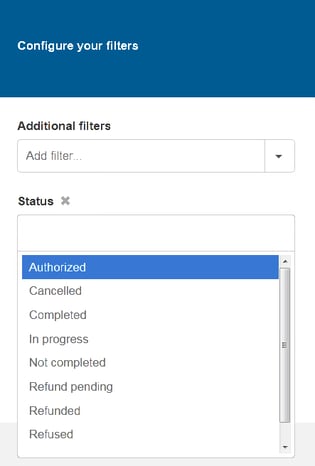
To remove selected criteria from your additional filters, just click on  .
.
Once you have selected your search criteria, click on  .
.
To get this list quickly exported to CSV or XML format, just click on  .
.
