
 Go to Finance → Withdrawals (or
  Account management → Withdrawals) to make withdrawal requests.
Right away, you will see your available balance.
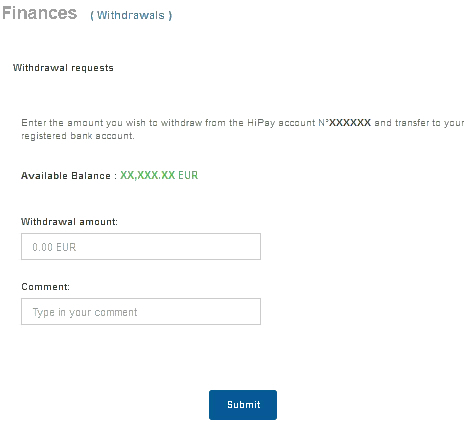
You just have to enter the amount you want to withdraw from the selected HiPay account and transfer to your registered bank account.
Please note that your bank account information must have been validated.
If it’s not the case, please refer to this section.
For clarity, you can write a description which will appear on your account statement.
You can also modify your banking details.
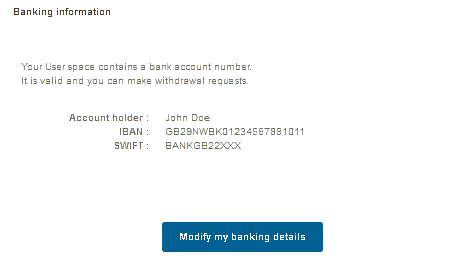
 Any changes to your banking details will suspend withdrawals until the new information is validated by our services.
Your withdrawal requests are listed on the right side of your screen for a quick overview.
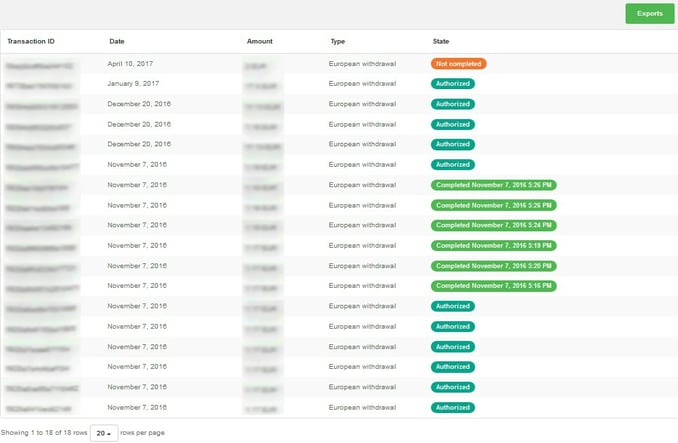
You can instantly see their respective state:
- In progress
- Refused
- Authorized
- Completed
- Not completed
- Rejected
- Canceled
- Refunded
- Refund pending
To get this list quickly exported to CSV or XML format, just click on  .
.
