

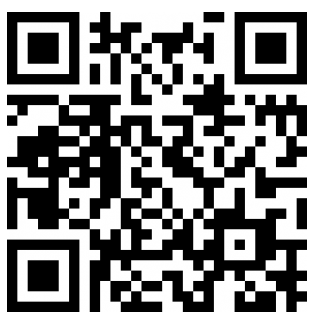
If you want to display the QR code directly on your website, you are in the right place.
You can display the QR code in an iFrame (HTTPS only):
Service endpoints
There are two endpoints (base URLs) to which you can make your API calls:
- Stage, if you are testing your integration,
- and Production, when you have finished testing and want your application to go live.
Request parameters
(For further details, please refer to the technical documentation.)
Full PHP example:
$data= array(
  "orderid"=> 'HP'.rand(microtime(0),100000),
  "operation"=> "sale",
  "eci"=> "7",
  "description"=> "Description of the order",
  "long_description"=> "Long description of the order",
  "payment_product"=> "bancontactqrcode",
  "email"=> "test@hipay.com",
  "currency"=> "EUR",
  "amount"=> "100",
  "shipping"=> 10,
  "tax"=> 10,
  "tax_rate"=> 10,
  "custom_data"=>
  '{
    "shipping_method":"click and collect",
    "first_order":"0",
    "products_list": "First product, Second product",
    "_reporting_data_1":"my custom data 1",
    "_reporting_data_2":"my custom data 2",
    "_reporting_data_3":"my custom data 3",
    "_reporting_data_4":"my custom data 4",
    "_reporting_data_5":"my custom data 5"
	}',

  // Customer information
  "email"=> "jane.doe@test.com",
  "phone"=> "0612345678",
  "birthdate"=> 19890525,
  "gender"=> "f",
  "firstname"=> "Jane",
  "lastname"=> "Doe",
  "streetaddress"=> "10 rue de la facturation",
  "streetaddress2"=> "Bâtiment A",
  "city"=> "Paris",
  "zipcode"=> "75012",
  "country"=> "FR",
  "shipto_firstname"=> "Jane",
  "shipto_lastname"=> "Doe",
  "shipto_streetaddress"=> "20 rue de la livraison",
  "shipto_streetaddress2"=> "Appt n°5",
  "shipto_city"=> "Paris",
  "shipto_zipcode"=> "75001",
  "shipto_country"=> "FR",
  "ipaddr"=> "193.248.51.27",
  "cid"=> "123",
  "accept_url"=> "https://example.com/accept",
  "decline_url"=> "https://example.com/decline",
  "pending_url"=> "https://example.com/pending",
  "exception_url"=> "https://example.com/exception",
  "cancel_url"=> "https://example.com/cancel"
	);
The response API is useful to redirect the customer to the Bancontact Mobile payment page.
JSON API response example:
{
	"state":"forwarding",
  "reason":"",
  "forwardUrl":"https:\/\/stage-secure-gateway.hipay-tpp.com\/gateway\/forward\/32215212016aafc0dc42c61aa9145256",
  "test":"true","mid":"00001234567","attemptId":"1","authorizationCode":"",
  "transactionReference":"800004182295",
  "referenceToPay":
  {
  	"urlbutton":"BEPGenApp:\/\/DoTx?TransId=1PROD-TXM-PSP.BCMC.AW.ATOS.NET\/BEP$GVBDGNJWIRBEEOCGIIYDORKD"
  },
  "dateCreated":"2019-09-13T11:00:53+0000",
  "dateUpdated":"2019-09-13T13:00:54+0200",
  "dateAuthorized":"",
  "status":"140","message":"Authentication requested",
  "authorizedAmount":"0.00","capturedAmount":"0.00",
  "refundedAmount":"0.00",
  "creditedAmount":"0.00",
  "decimals":"2",
  "currency":"EUR",
  "ipAddress":"193.248.51.27",
  "ipCountry":"FR",
  "deviceId":""
  ,"avsResult":"",
  "cvcResult":"",
  "eci":"7",
  "paymentProduct":"bancontactqrcode",
  "paymentMethod":"",
  "threeDSecure":"",
  "fraudScreening":
  {
  	"scoring":"0",
    "result":"ACCEPTED",
    "review":""
   },
   "order":
   {
   	"id":"HP54730",
    "dateCreated":"2019-09-13T11:00:53+0000",
    "attempts":"1",
    "amount":"100.00",
    "shipping":"10.00",
    "tax":"10.00",
    "decimals":"2",
    "currency":"EUR",
    "customerId":"123",
    "language":"en_US",
    "email":"jane.doe@test.com"
   },
  }
To consider an accepted payment, it is appropriate to rely on the server-to-server notification containing the following values:
status=118
message=Captured
You can receive the server-to-server notification in:
- POST "application/x-www-form-urlencoded" format
- POST XML
POST accepted payment confirmation server-to-server notification example:
state=completed
&test=true
&mid=00001234567
&attempt_id=1
&authorization_code=TEST
&transaction_reference=800004182295
&date_created=2019-09-13T11%3A00%3A53%2B0000
&date_updated=2019-09-13T11%3A04%3A10%2B0000
&date_authorized=2019-09-13T11%3A05%3A10%2B0000
&status=118
&message=Captured
&authorized_amount=100.00
&captured_amount=100.00
&refunded_amount=0.00
&decimals=2
¤cy=EUR
&ip_address=193.248.51.27
&ip_country=FR
&device_id=
&custom_data%5Bfirst_order%5D=0
&custom_data%5Bproducts_list%5D=First+product%2C+Second+product
&custom_data%5B_reporting_data_1%5D=my+custom+data+1
&custom_data%5B_reporting_data_2%5D=my+custom+data+2
&custom_data%5B_reporting_data_3%5D=my+custom+data+3
&custom_data%5B_reporting_data_4%5D=my+custom+data+4
&custom_data%5B_reporting_data_5%5D=my+custom+data+5
&custom_data%5Bshipping_method%5D=click+and+collect
&avs_result=
&cvc_result=
&eci=7
&payment_product=bancontactqrcode
&fraud_screening%5Bscoring%5D=0
&fraud_screening%5Bresult%5D=accepted
&fraud_screening%5Breview%5D=
&order%5Bid%5D=HP54730
&order%5Bdate_created%5D=2019-09-13T11%3A00%3A53%2B0000
&order%5Battempts%5D=1
&order%5Bamount%5D=100.00
&order%5Bshipping%5D=10.00
&order%5Btax%5D=10.00
&order%5Bdecimals%5D=2
&order%5Bcurrency%5D=EUR
&order%5Bcustomer_id%5D=123
&order%5Blanguage%5D=en_US
&order%5Bemail%5D=jane.doe%40test.com
&payment_reference%5BurlButton%5D=BEPGenApp%3A%2F%2FDoTx%3FTransId%3D1PROD-TXM-PSP.BCMC.AW.ATOS.NET%2FBEP%24GVBDGNJWIRBEEOCGIIYDORKD
